A small business website does not need to be complicated to be effective.
What it does need is a strong foundation.
After more than 18 years working in web development and helping businesses with their websites, I have seen plenty of sites that looked good on the surface but were missing some of the things that mattered most: clear contact information, mobile usability, security, speed, strong calls to action, dependable backups, or even a simple way for customers to reach the business.
A website should do more than exist.
It should help people find you, understand what you offer, trust your business, and take the next step.
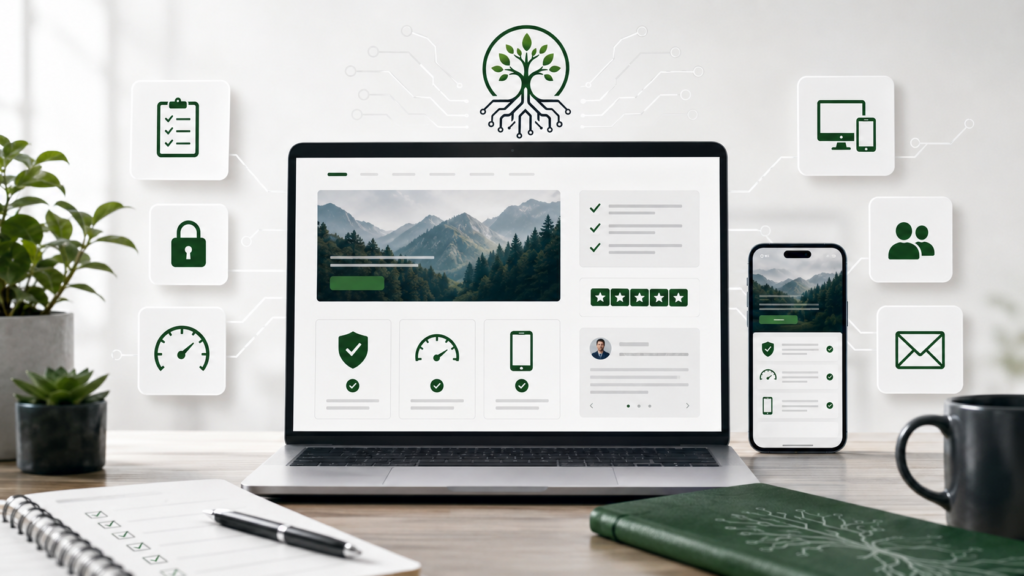
This checklist covers 15 areas I believe every small-business WordPress website should get right.
1. Make Sure the Website Works Well on Mobile
For many businesses, a customer’s first visit will happen on a phone.
That means your website should not simply shrink down to fit a smaller screen. It should actually be easy to use on one.
Check that:
- Text is easy to read without zooming.
- Buttons are large enough to tap.
- Navigation is simple.
- Forms work properly.
- Images fit the screen.
- Phone numbers are easy to tap and call.
- Important information appears quickly.
I always recommend checking a business website on a real phone rather than relying only on a desktop preview.
A website can look perfect on a large monitor and still be frustrating on mobile.
2. Use HTTPS and a Valid SSL Certificate
Visitors should see the secure connection indicator when they open your website.
Your site’s address should begin with:
https://
rather than:
http://
HTTPS helps protect information traveling between the visitor and your website.
It is especially important when your website includes:
- Contact forms
- Login pages
- Customer accounts
- Ecommerce
- Payment processing
- Appointment requests
- Any other transfer of personal information
For a professional business website, HTTPS should be considered a basic requirement.
3. Make Your Contact Information Easy to Find
Do not make potential customers search for a way to contact you.
Your website should clearly display the information that makes sense for your business, including things such as:
- Phone number
- Email address
- Contact form
- Business hours
- Service area
- Physical address, when applicable
- Social media links, when useful
For many local businesses, I like having important contact information available in more than one location.
A customer may enter your website through the homepage, a service page, a blog post, or a Google search result.
They should never have to wonder how to reach you.
4. Give Visitors a Clear Call to Action
Every important page should help visitors understand what they should do next.
Examples include:
Request a Quote
Schedule an Appointment
Call Now
Get an Estimate
Contact Us
Shop Now
Book a Consultation
One common mistake is building a beautiful website and then failing to provide a clear next step.
Do not assume visitors will figure it out themselves.
Guide them.
5. Keep the Website Fast
Website speed affects the experience people have with your business.
If someone clicks your website and waits too long for it to load, they may leave before ever seeing what you offer.
A fast WordPress website usually comes from getting several things right together:
- Quality hosting
- Properly sized and compressed images
- Efficient themes
- Well-built plugins
- Appropriate caching
- Limited unnecessary scripts
- Clean development practices
- Regular maintenance
Speed is another reason I do not believe a website should be overloaded with tools simply because they are available.
Every component should have a purpose.
6. Keep WordPress, Themes and Plugins Updated
A WordPress website should not be treated as something you build once and never touch again.
WordPress evolves.
Themes change.
Plugins receive updates.
Browsers change.
Security issues are discovered.
Keeping the site’s software maintained helps with:
- Security
- Compatibility
- Performance
- Bug fixes
- New browser versions
- New WordPress versions
Updates should also be handled responsibly.
For important business websites, backups and testing should be part of the update process.
7. Use Reliable Backups
A backup is one of those things people often do not think about until they desperately need one.
Your business website should have regular backups.
Ideally, those backups should include:
- Website files
- WordPress database
- Themes
- Plugins
- Uploads and media
- Important configuration information
It is also important to know where the backups are stored.
Keeping every backup only on the same server as the website can create unnecessary risk.
And remember:
A backup is only useful if it can actually be restored.
8. Take Security Seriously
WordPress security is not about finding one plugin and assuming the job is finished.
I believe in a layered approach to security.
That can include:
- Secure hosting
- Strong passwords
- Limited administrator accounts
- Two-factor authentication where appropriate
- Trusted themes and plugins
- Regular updates
- Proper permissions
- Security monitoring
- Backups
- Secure development practices
- SSL/HTTPS
- Protection against common login attacks
No website can be guaranteed to be completely immune from every possible attack.
The goal is to reduce unnecessary risk and make sure multiple protections are working together.
Security should be built into the foundation of the website—not added as an afterthought.
9. Make Sure Your Contact Forms Actually Work
This sounds obvious, but it is something businesses should test regularly.
Fill out your own contact form.
Then confirm:
- The form submits successfully.
- The customer sees a confirmation.
- The business receives the notification.
- The message does not go to spam.
- The form works on mobile.
- Required fields work correctly.
- Spam protection is functioning.
Imagine losing several months of customer inquiries because nobody realized the contact form had stopped delivering messages.
Testing takes a few minutes.
Lost leads can cost considerably more.
10. Clearly Explain What Your Business Does
A visitor should not have to read five paragraphs before understanding your business.
Within the first few seconds, someone landing on your homepage should have a reasonable idea of:
What you do.
Who you help.
Where you operate.
What they should do next.
For example, compare:
Welcome to ABC Services. We have been proudly serving the community for years.
with:
Professional residential and commercial plumbing services throughout Peoria and Central Illinois.
The second version immediately tells a visitor what the business does and where it operates.
Clarity is powerful.
11. Create Dedicated Pages for Important Services
Do not put every service your business provides into one giant paragraph on the homepage.
Important services often deserve their own pages.
For example, a landscaping company might have:
- Lawn Care
- Landscape Design
- Tree and Shrub Care
- Mulching
- Spring Cleanup
- Fall Cleanup
Dedicated service pages help customers find the exact information they need.
They also give search engines clearer information about what your business provides.
Each service page can explain:
- What the service includes
- Who it is for
- Benefits
- Frequently asked questions
- Service areas
- Photos
- Testimonials
- How to request a quote
This creates a much stronger website than trying to make one page do everything.
12. Build Trust
People visiting a small-business website are often asking themselves:
Can I trust this company?
Your website can help answer that question.
Useful trust signals may include:
- Real customer testimonials
- Reviews
- Project photos
- Before-and-after examples
- Certifications
- Professional associations
- Years of experience
- Staff or founder information
- Clear policies
- Real business contact information
- Guarantees, when appropriate
- Case studies
Avoid making claims you cannot support.
Authenticity is more valuable than trying to make a small company look like a giant corporation.
Being a real local business can itself be an advantage.
Show people who you are.
13. Make Local Business Information Consistent
If you serve a local market, consistency matters.
Your core business information should be accurate across your website and other major online profiles.
Pay particular attention to:
- Business name
- Address
- Phone number
- Hours
- Website address
- Service areas
Your Google Business Profile should also be accurate and kept current.
If your website says you close at 5:00 PM while another listing says 7:00 PM, customers are left wondering which information is correct.
Small details can affect trust.
14. Pay Attention to Basic SEO
You do not need to stuff every page with keywords.
In fact, you should not.
Good small-business SEO starts with building pages that clearly answer what potential customers are looking for.
Important basics include:
- Clear page titles
- Logical headings
- Descriptive URLs
- Useful page content
- Internal links
- Image alt text where appropriate
- Mobile-friendly design
- Fast page loading
- Useful service pages
- Location information
- A logical site structure
Your content should be written for people first.
If a homeowner is searching for a service you provide, your page should genuinely help that person understand the service and decide whether your company can help.
That is a much better long-term strategy than trying to trick a search engine.
15. Review the Website Regularly
A business changes.
Your website should change with it.
At least periodically, review:
- Phone numbers
- Email addresses
- Team members
- Business hours
- Prices where displayed
- Services
- Service areas
- Staff photos
- Testimonials
- Social media links
- Forms
- Policies
- Copyright dates
- Promotions
- Broken links
You may be surprised how quickly old information accumulates.
A website advertising a service you stopped offering two years ago does not inspire confidence.
Neither does a team page filled with former employees.
Your website is part of your business.
Treat it that way.
Bonus: Look at Your Website Like a Customer
This is one of the simplest website audits you can perform.
Forget for a moment that you own the business.
Pretend you have never seen the website before.
Then ask:
Do I immediately understand what this company does?
Can I find the phone number quickly?
Can I easily request a quote?
Does the business appear trustworthy?
Does the website work well on my phone?
Can I find information about the service I need?
Are there reviews or examples of previous work?
Would I feel comfortable submitting my information?
Is anything confusing?
That perspective can reveal problems that are easy to overlook when you already know where everything is.
Your Website Should Help Your Business Grow
A good small-business website does not need dozens of animations or hundreds of features.
It needs to do the fundamentals well.
It should be:
Fast.
Secure.
Clear.
Professional.
Mobile-friendly.
Easy to contact.
Easy to maintain.
Built around the needs of the business and its customers.
That philosophy is a major part of why I created Rooted Dev Studio.
After more than 18 years working in web development and working with businesses of different sizes, I have learned that the best website tools are not necessarily the ones with the longest feature list.
They are the ones that solve real problems reliably.
That is the standard I want to bring to every theme, plugin, and website tool I build.
The 15-Point Small Business Website Checklist
Before you leave, here is the complete checklist in one place:
- Mobile-friendly design
- HTTPS and SSL
- Easy-to-find contact information
- Clear calls to action
- Fast performance
- Updated WordPress, themes and plugins
- Reliable backups
- Layered security
- Working contact forms
- Clear explanation of what the business does
- Dedicated service pages
- Strong trust signals
- Consistent local business information
- Solid SEO fundamentals
- Regular website reviews
You do not have to fix everything in one day.
Start with the biggest weaknesses, improve them one at a time, and continue maintaining the foundation.
A better website is usually not built from one giant change.
It is built by consistently getting the important things right.
Built from experience. Rooted in better code.